
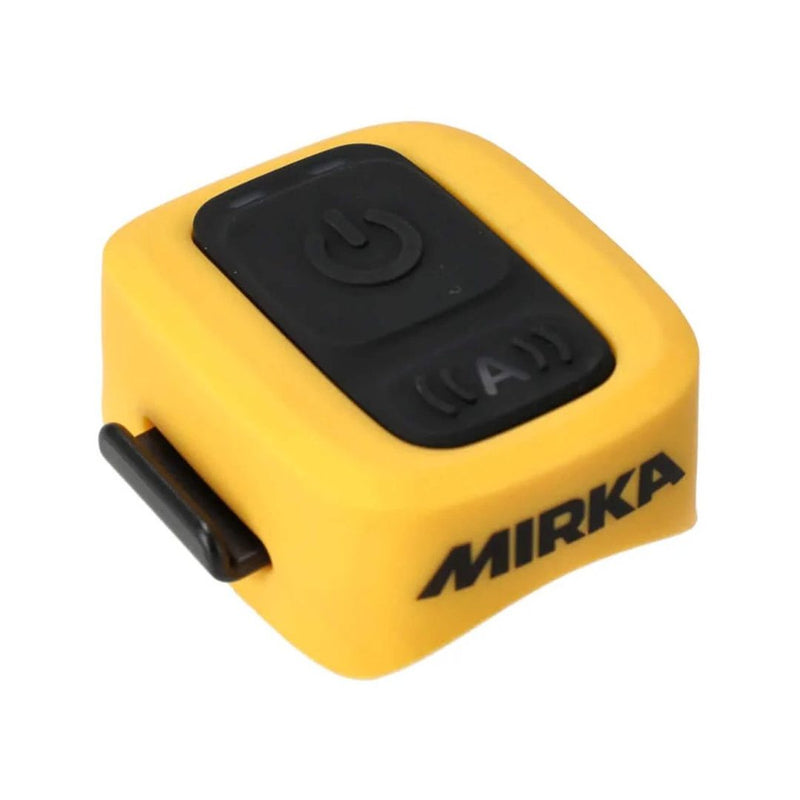
Mirka Dexos Remote Control


Pickup available at GO Industrial
- Same-day dispatch. National shipping.
- Found a better deal? Message us to price match.
Same-day dispatch
In-stock orders by 2pm AEST
Australia-wide delivery
Direct to your job from Brisbane
Authorised service
In-house warranty + repairs
Trade pricing for all
No trade-only accounts
The Mirka DEXOS Remote Control is designed to enhance the functionality of the Mirka DEXOS 1217 M AFC, Mirka DEXOS 1230 M AFC and Mirka Dust Extractor 1125 L. This remote control allows you to start and stop the extractor remotely via Bluetooth, making dust extraction more convenient and efficient.
Attach the Mirka DEXOS Remote Control to the hose near the Power Tool and connect it via Bluetooth to the Dust Extractor to experience a smarter and more convenient way of working.
Features
- Dual Operating Modes: Auto Sense Mode & Manual Mode
-
- Auto Sense Mode: The dust extractor starts automatically when it detects vibrations from your tool, ensuring seamless operation without any manual intervention.
- Manual Mode: Control the dust extractor manually using the on/off button
- Bluetooth Connectivity: with a range of up to 20 meters
- Durable Design: Encased in a soft protective enclosure, the remote control is engineered for heavy-duty use, ensuring long-lasting performance in various working conditions.
- Easy Attachment: The rubber strap is optimized for compatibility with Mirka’s hoses
- LED Indicator: A red flashing LED indicator alerts you if the suction flow is insufficient
- Cost-Effective: No need for additional equipment for pneumatic tools. Eliminates the need for a pneumatic box.
- Compatibility and Versatility: The Mirka DEXOS Remote Control is compatible with Mirka DEXOS 1217 M AFC and Mirka Dust Extractor 1125 models. It can be used with a wide range of tools, including electric, pneumatic, and battery-operated tools. For hand tools and cleaning applications using a hose, the remote control can be operated in manual mode.
Quick Start Guide
-
Activate the Dust Extractor's Bluetooth Press the Bluetooth button on your DEXOS dust extractor. The indicator light on the extractor should begin to flash.
-
Activate Pairing Mode on the Remote Press and hold the button on the Remote Control for 3 seconds. The remote's light will flash to indicate it is searching.
-
Confirm Connection When the devices pair successfully, the indicator light on the Remote Control will turn green.
-
Attach the Remote Use the included strap to mount the Remote Control securely onto the dust extraction hose near the tool end.
-
Calibrate/Activate AutoSense Turn on your power tool and let it run for 5 seconds. The remote detects the vibration to calibrate the "AutoSense" feature, allowing the vacuum to start and stop automatically when the tool is used.
Indicator Light Guide (Troubleshooting)
-
Green Flash: The remote is connected and functioning normally.
-
Red Flash: The battery is low (less than 10%).
-
No Light/Response: The battery may be dead or missing.
Included accessories
Specifications
|
Max Signal Range |
20 Meters |
|
Battery Lifetime |
“Normal Use” 1 year | “Stand By” 2 years |
|
Power Supply |
1 x CR 2032 non-rechargeable 3V Battery |
|
Frequency Range |
2402-2480 MHz |
|
Max Transmission power |
+2,5 dBm |
|
Antenna Gain |
4,91 dBi |
|
Water/Dust Ingress Class |
IP44 |
|
Ambient Working Temperature |
-10°C - 40°C |
|
Storage Temperature |
-30°C - 70°C |
Quick Start Guide
Shipping & Returns
Same-day dispatch from one of our national warehouses on in-stock orders placed before 2pm AEST.
30-day returns on unopened, stocked items — customer pays return freight. Non-stocked / special-order items are subject to a 50% restocking fee.
Need help speccing your kit?
Talk to a real specialist on our team. We'll match the right unit to your daily volume and the materials you spray most.